How I Got Reliable Home Internet in Malaysia Without a Contract
Quick Take
I’ve been in Malaysia for the past few months, and one of the more unexpectedly annoying things to figure out was reliable home internet.
For context, I was here on an extended trip and needed reliable internet at home for about three months for work. I have also been living in a high-rise condo in Kuala Lumpur, which adds its own set of weird constraints. Fixed-line internet was possible, but some of the providers here require a long-term commitment, a large foreigner deposit, or enough setup friction that I did not really want to deal with it for a temporary stay.
What ended up working was a dedicated 5G modem with a Yes prepaid plan. What did not work nearly as well was using an old iPhone as a dedicated hotspot.
I wanted to share the setup in case it helps other foreigners, remote workers, or people planning a longer stay in Malaysia who need stable internet at home without signing a normal broadband contract.
Why I Did Not Just Get Normal Home Internet
The easiest answer, in theory, would have been to get normal home internet installed.
But I was in an awkward middle ground. I was staying long enough that I needed something more reliable than cafe Wi-Fi or travel eSIM data, but not long enough that I wanted to sign up for a home broadband plan and then deal with canceling it later. The foreigner deposit was also unappealing. Maybe it would have been fine, but I did not want one of my last errands before leaving Malaysia to be chasing a deposit refund.
So my first thought was: why not just use an old iPhone as a hotspot?
I had an extra iPhone, I could install a local eSIM, keep it plugged in, and basically treat it like a little home router. That seemed like the most flexible path because I could try different Malaysian prepaid providers without committing to anything.
The iPhone Hotspot Did Not Work Well Enough
I tried a bunch of eSIM and prepaid options, including U Mobile, Hotlink, Yes, CelcomDigi, and a few others.
I had already gone pretty deep on Malaysian eSIMs before this, partly because I wanted a local number and local data pricing. I wrote separately about installing a Malaysian eSIM while still in the U.S., and for normal phone use I actually found U Mobile and Maxis/Hotlink to be pretty good.
The annoying part is that prepaid renewal can be more manual than I expected. Some of these plans do not really auto-renew in the way I am used to from U.S. phone plans, so you can end up babysitting the renewal every month. That is probably a story for another time.
The problem was that I was not getting good signal on any of them from inside my condo. I was on the 31st floor, and high-rise cellular signal can be strange. The phone would sometimes show signal, then lose it, then jump around between bands, then work just well enough to make me think it was fixed before becoming flaky again.
For normal phone usage, that might be tolerable. For a full workday with video calls, uploads, and the usual background internet usage, it was not.
The part I got wrong was assuming that an iPhone hotspot is basically the same thing as a 5G modem. It is not.
The 5G Modem Was The Important Difference
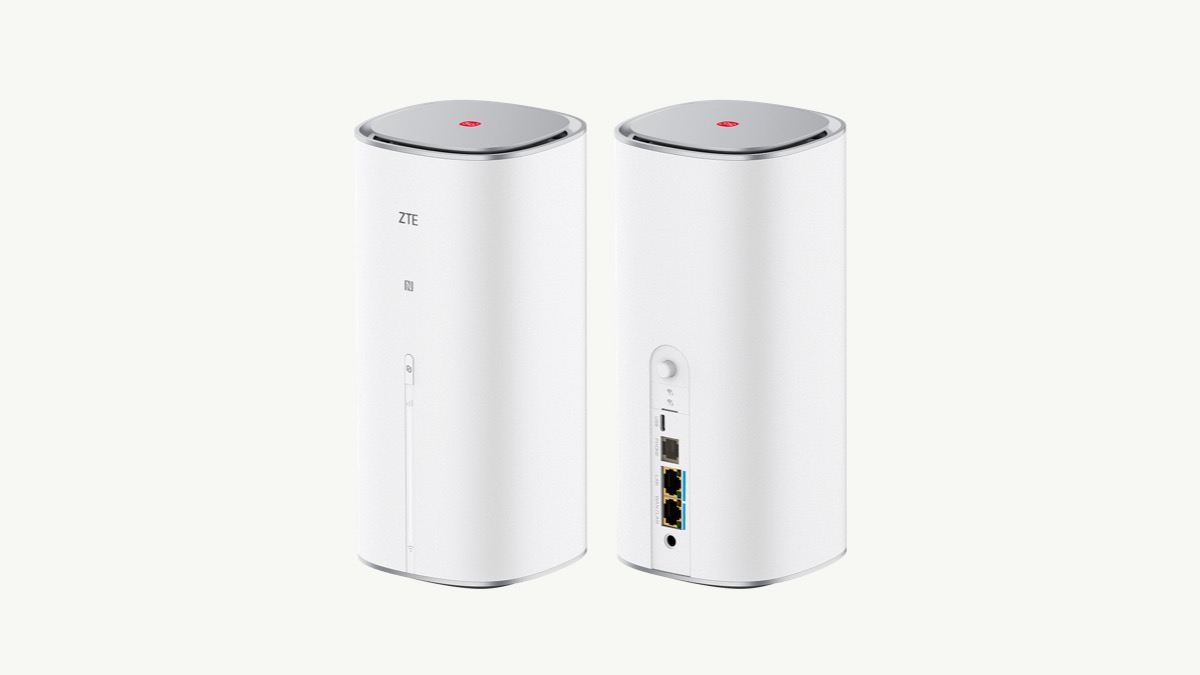
Dedicated 5G modems have antennas and hardware that are much better suited for getting and holding onto a cellular signal. In the same condo where the iPhone was struggling, the 5G modem was actually pretty stable.
That was the main lesson for me. The carrier mattered, but the device mattered too. A phone can be a hotspot in a pinch, but it is still a phone pretending to be a router. A dedicated modem is built for the job.
Coming from the U.S., I also had a bias against 5G modems. They are not really a mainstream travel or home-internet solution there, so I thought of them as a compromise. After using one here, I have a new appreciation for them. The bandwidth has been good, the latency has been decent, and it has not caused issues with video calls or normal work.
One setting that seemed worth enabling was 5G Standalone, sometimes shown as 5G SA. The short version is that non-standalone 5G still uses 4G LTE as part of the connection path, while standalone 5G uses the 5G core more directly. In theory, that can help latency and responsiveness when the carrier and device support it. I enabled it on both my phone and the modem router, and the connection seemed more performant afterward, though I would not treat that as a universal guarantee.
I ended up buying a modded modem. The upside of that setup is that it can be used with different cellular plans instead of being locked to one provider. That was probably the most appealing part to me because I did not know which carrier would work in my exact unit. I wanted the option to try a few plans and keep whichever one was most stable.
My understanding is that some of these modded modems have an IMEI configured so that, to the cellular provider, the modem looks more like a normal phone that happens to use a lot of data. I am not saying this is the official carrier-approved route, and I would check the legal and carrier-policy side before copying it exactly. But practically speaking, this is the setup that solved the problem for me.
The Carrier That Worked Best For Me
Fortunately, the first plan I tried in the modem was also the one that worked best: Yes.
As of June 2026, Yes advertises a prepaid RM30/month plan with uncapped 5G data and speed, uncapped 4G data up to 7 Mbps, and a 12GB hotspot allowance on its official prepaid plans page. That is about seven U.S. dollars a month at the time of writing, which is kind of wild if you are coming from the U.S.
In my setup, Yes felt like the only provider that was truly usable for home internet. I do not want to overstate that as a universal recommendation because cellular coverage is extremely local. In Malaysia, and especially in high-rise condos, the exact unit matters. The side of the building, floor height, window placement, nearby towers, and reinforced concrete can all change the result.
But if I were starting over, Yes would be the first one I would test.
Where I Bought The Modem
I first checked Lazada and Shopee.
After looking around, I noticed that a lot of the modded modem listings seemed to be coming from the same seller. They also had a physical store, so instead of ordering one blind, I went in person.
I bought mine from Andrew’s eStore.
Going to the store helped because I could ask questions, understand which modem I was buying, and avoid waiting around for delivery while trying to get my work setup stable. If you already know exactly what you want, ordering online might be fine. For me, this was one of those purchases where I preferred to talk to someone before buying it.
The Wi-Fi Problem Inside The Condo
One other issue I hit was Wi-Fi inside the condo itself.
Getting internet into the apartment was only half the problem. Getting the Wi-Fi signal into another room was a separate problem.
The walls in many condos here are reinforced with steel and concrete, so Wi-Fi does not travel well between rooms. A router that works fine in the living room may be weak or unusable in the bedroom or office room.
This is where either a mesh router or a travel router can be useful.
I used a GL.iNet travel router to repeat the signal so I could get usable Wi-Fi into another room. It was not as clean as a proper whole-home mesh setup, but it worked well enough for what I needed.
If I were setting this up again, I would think about the problem in two separate layers:
- Internet source: the 5G modem and local SIM plan.
- Indoor coverage: a mesh router, travel router, or repeater to get Wi-Fi through the condo.
The modem solves the cellular internet problem. It may not solve the whole-apartment Wi-Fi problem.
What I Would Do Next Time
If I needed reliable short-term internet in Malaysia again, especially as a foreigner staying in a high-rise condo, I would do this:
- Avoid signing a fixed-line contract unless I knew I would stay long enough.
- Buy or borrow a dedicated 5G modem instead of relying on an old phone hotspot.
- Test multiple carriers in the actual unit, not just in the neighborhood.
- Start with Yes, because it worked best for me and the prepaid pricing was strong.
- Add a mesh router or travel router if I needed Wi-Fi in more than one room.
- Keep expectations realistic in high-rise buildings because signal can vary a lot by floor and unit.
The main lesson is that reliable short-term internet in Malaysia is definitely possible, but the exact setup matters more than I expected. A phone hotspot might be fine for a weekend. For a few months of work calls, a dedicated 5G modem plus a local prepaid plan was a much better setup.
Questions
Can you get reliable short-term home internet in Malaysia as a foreigner?
Yes, but it can be awkward if you do not want a fixed-line contract or a large foreigner deposit. For my multi-month stay, a dedicated 5G modem with a local prepaid plan was the easiest working setup.
Is an iPhone hotspot as good as a dedicated 5G modem?
In my Kuala Lumpur high-rise condo, no. The dedicated 5G modem held a much more stable cellular signal than an old iPhone hotspot in the same apartment.
Which Malaysian carrier worked best for my 5G modem?
Yes worked best in my condo. That does not mean it will be best in every building, so I would still test coverage where you are actually staying.
Should you enable 5G Standalone on a 5G modem?
If your phone, modem, and carrier support it, it is worth trying. 5G Standalone uses a 5G core instead of anchoring the connection through 4G LTE, which can help latency and responsiveness, though results still depend on coverage.
Why is Wi-Fi weak between condo rooms in Malaysia?
Many condo walls are reinforced concrete, which can block or weaken Wi-Fi. A mesh system or travel router can help repeat the signal into another room.